Copywriting skill
Writes or rewrites marketing copy for homepages, landing pages, pricing and product pages.
A Free skill. Sign-in opens soon.
- By
- Corey Haines
- Licence
- MIT
- Installs
- 230.1K
- Works in
- 17 apps
What Copywriting makes
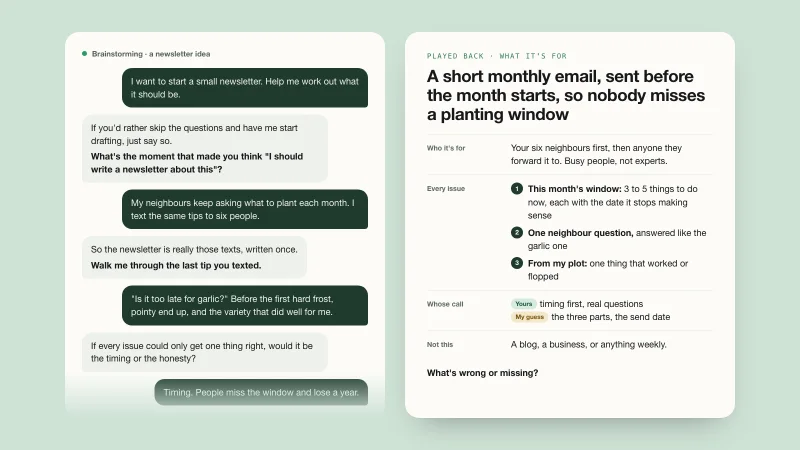
This skill writes marketing copy for your website: homepage, landing page, pricing, feature, about and product pages. It also covers headlines, taglines, button text and value propositions. Before it writes, it asks about the page's one goal, your audience, your offer and where visitors come from, and it reads your saved product context if there is one.
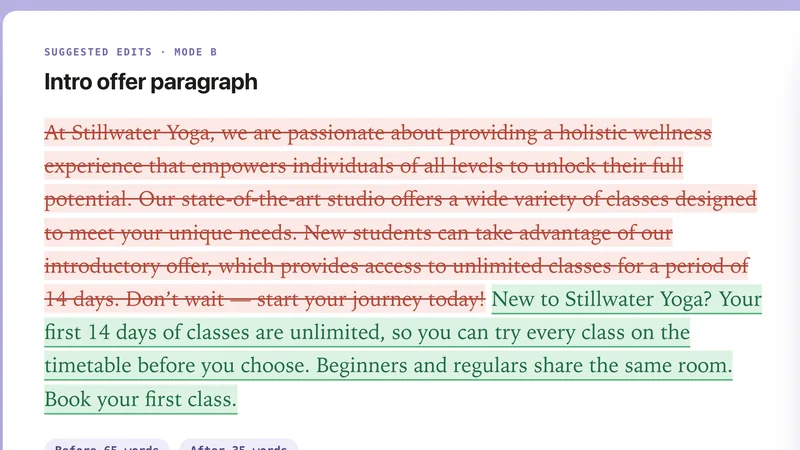
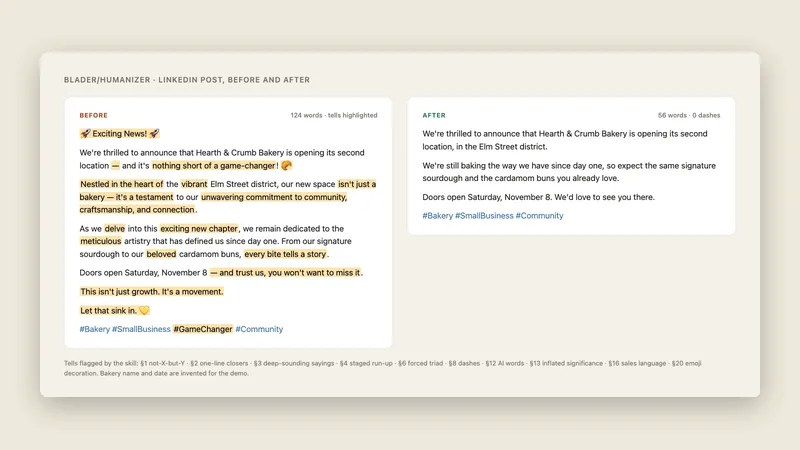
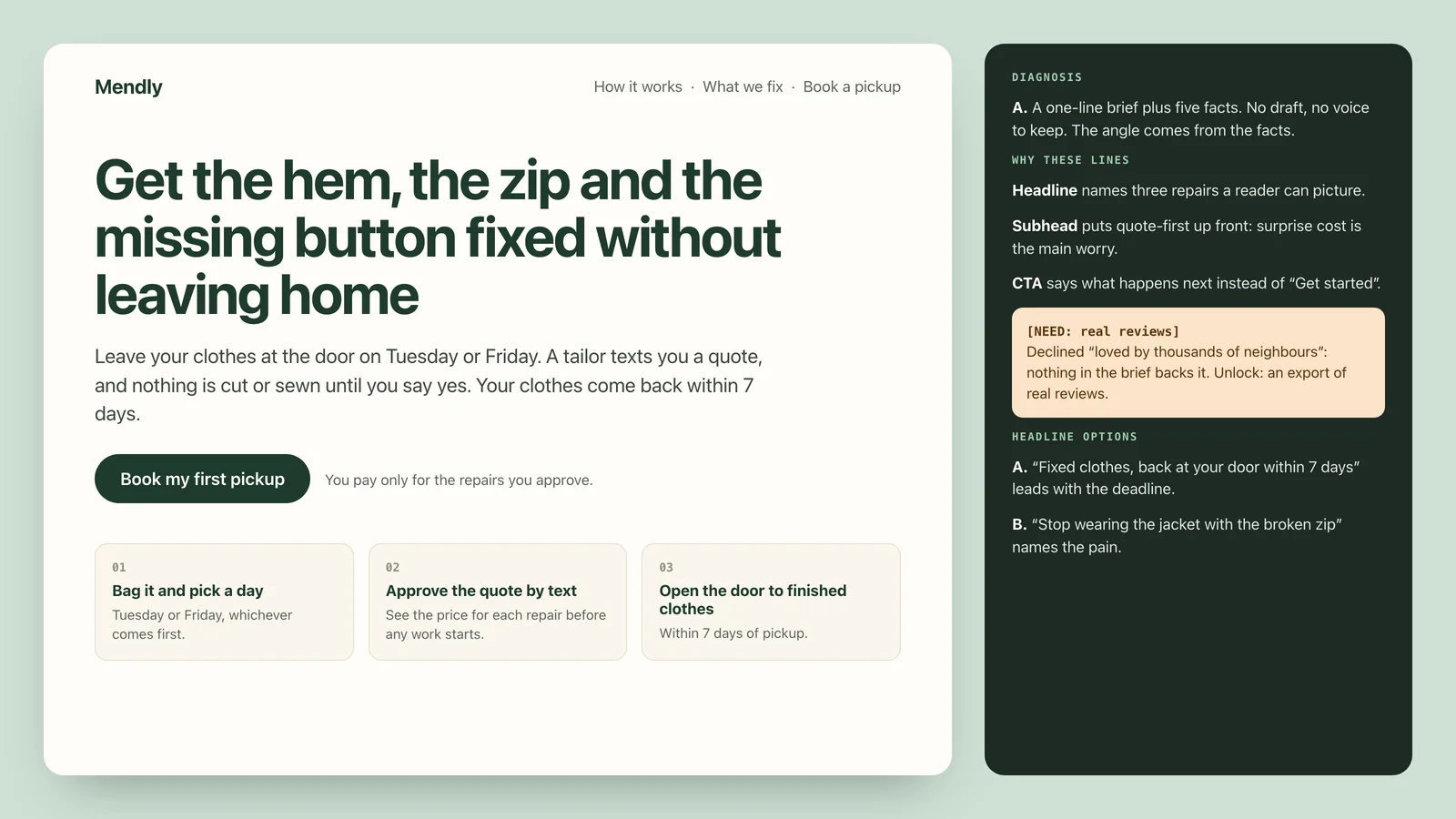
It first decides what situation it is in. A blank brief gets a full argument built from the facts you give. A draft with a real voice gets that voice restored, not replaced. A single-line fix gets a single-line change. It avoids AI tells such as "it's not X, it's Y" reveals, and it will not invent stats, customers or results.
Best for: Small business owners and founders who write their own site copy.
- Diagnoses the situation first: blank brief, real voice or point edit
- Asks about page goal, audience, offer and traffic source
- Never invents stats, customers or results
- Avoids AI tells and trailing comma clauses
- Includes copy frameworks and plain-English alternatives
Made with this skill
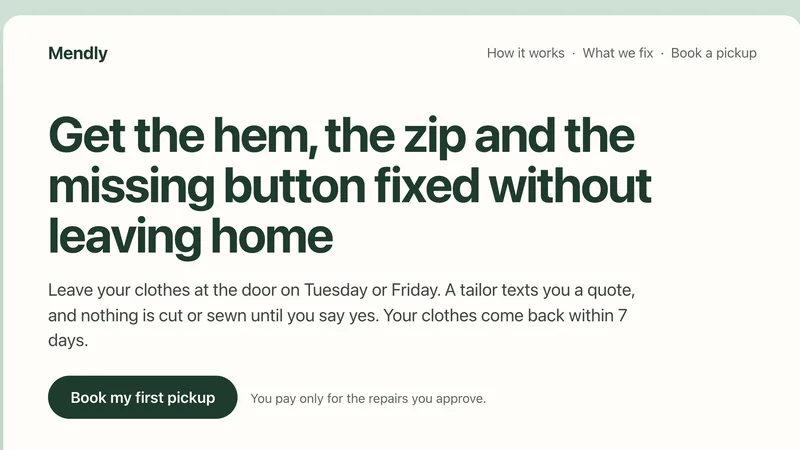
Homepage copy for Mendly, a clothing repair pickup service. Write homepage copy for "Mendly", a clothing repair service that picks up from your door. Facts: pickup on Tuesdays and Fridays; a tailor fixes hems, zips, buttons and small tears; a quote by text before any work; clothes back within 7 days. Any brands, names or numbers inside are invented examples.
Example prompts
Type something like this once the skill is added. Your app opens the skill when the request matches.
-
Write homepage copy for my bookkeeping service for dentists.
-
Improve the headline and button on this landing page: [paste].
-
This pricing page copy sounds like AI. Make it sound human.
-
Help me describe my product in one clear sentence.
What’s inside
6 files in the skill folder, with its MIT licence kept inside. Only text instructions and reference files, no program files.
- SKILL.md the instructions
- evals/ 1 files
- references/ 3 files
- LICENSE licence
Which apps it works in
A skill is a folder of plain files, so any app that reads the open skills format can use it. Pick your app for its page.
How to add Copywriting to your app
Step by step for each app. We say where to click, so you never need to leave this page.
ChatGPTby OpenAI
- 1 Download the skill (.zip) with the button at the top of this page, then unzip it.
- 2 Open the ChatGPT desktop app and look for Skills in the sidebar, where standalone skills are listed.
- 3 Add the “copywriting” folder there if your version offers it. If you do not see Skills yet, use this skill in Claude or Codex instead.
- 4 In a chat, type @ and pick the skill, or just ask. Ask for what you want, for example: “Write homepage copy for my bookkeeping service for dentists.”
To make your own, describe the workflow to @skill-creator in ChatGPT Work and it drafts a skill for you.
Claude appby Anthropic
- 1 Download the skill (.zip) with the button at the top of this page.
- 2 In the Claude app, open Settings > Features.
- 3 Upload the .zip file.
- 4 Ask for what you want, for example: “Write homepage copy for my bookkeeping service for dentists.”
The current Claude Help Center lists Free, Pro, Max, Team and Enterprise. Organization policy can restrict uploads and sharing. Chat runs code in an isolated environment; uploading a skill does not give it your local project, coding-agent tools or unrestricted network access.
Codexby OpenAI
- 1 Download the skill (.zip) with the button at the top of this page, then unzip it.
- 2 Move the “copywriting” folder into your skills folder:
~/.agents/skills - 3 Or paste the install prompt below into Codex and let it do the copying.
- 4 Start a new session. Ask for what you want, for example: “Write homepage copy for my bookkeeping service for dentists.”
Install prompt: paste this into Codex
I downloaded the agent skill "Copywriting" as copywriting.zip. Unzip it and copy the copywriting folder into ~/.agents/skills. Before you finish, list every file it contains, show me any scripts and what they do, and stop if anything asks for passwords, API keys or downloads from other websites.
To use the skill in one project only, put it in .agents/skills inside that project instead.
Claude Codeby Anthropic
- 1 Download the skill (.zip) with the button at the top of this page, then unzip it.
- 2 Move the “copywriting” folder into your skills folder:
~/.claude/skills - 3 Or paste the install prompt below into Claude Code and let it do the copying.
- 4 Start a new session. Ask for what you want, for example: “Write homepage copy for my bookkeeping service for dentists.”
Install prompt: paste this into Claude Code
I downloaded the agent skill "Copywriting" as copywriting.zip. Unzip it and copy the copywriting folder into ~/.claude/skills. Before you finish, list every file it contains, show me any scripts and what they do, and stop if anything asks for passwords, API keys or downloads from other websites.
Built-in installer: claude plugin marketplace add <owner/repo>
Built-in installer: claude plugin install <plugin>@<marketplace>
To use the skill in one project only, put it in .claude/skills inside that project instead.
Cursor
- 1 Download the skill (.zip) with the button at the top of this page, then unzip it.
- 2 Move the “copywriting” folder into your skills folder:
~/.cursor/skills - 3 Or paste the install prompt below into Cursor and let it do the copying.
- 4 Start a new session. Ask for what you want, for example: “Write homepage copy for my bookkeeping service for dentists.”
Install prompt: paste this into Cursor
I downloaded the agent skill "Copywriting" as copywriting.zip. Unzip it and copy the copywriting folder into ~/.cursor/skills. Before you finish, list every file it contains, show me any scripts and what they do, and stop if anything asks for passwords, API keys or downloads from other websites.
To use the skill in one project only, put it in .cursor/skills inside that project instead. Cursor also reads ~/.agents/skills, ~/.claude/skills, ~/.codex/skills.
GitHub Copilotby GitHub
- 1 Download the skill (.zip) with the button at the top of this page, then unzip it.
- 2 Move the “copywriting” folder into your skills folder:
~/.copilot/skills - 3 Or paste the install prompt below into GitHub Copilot and let it do the copying.
- 4 Start a new session. Ask for what you want, for example: “Write homepage copy for my bookkeeping service for dentists.”
Install prompt: paste this into GitHub Copilot
I downloaded the agent skill "Copywriting" as copywriting.zip. Unzip it and copy the copywriting folder into ~/.copilot/skills. Before you finish, list every file it contains, show me any scripts and what they do, and stop if anything asks for passwords, API keys or downloads from other websites.
Built-in installer: gh skill install <owner/repo> <skill> --agent github-copilot --scope user
To use the skill in one project only, put it in .github/skills inside that project instead. GitHub Copilot also reads ~/.agents/skills.
Gemini CLIby Google
- 1 Download the skill (.zip) with the button at the top of this page, then unzip it.
- 2 Move the “copywriting” folder into your skills folder:
~/.gemini/skills - 3 Or paste the install prompt below into Gemini CLI and let it do the copying.
- 4 Start a new session. Ask for what you want, for example: “Write homepage copy for my bookkeeping service for dentists.”
Install prompt: paste this into Gemini CLI
I downloaded the agent skill "Copywriting" as copywriting.zip. Unzip it and copy the copywriting folder into ~/.gemini/skills. Before you finish, list every file it contains, show me any scripts and what they do, and stop if anything asks for passwords, API keys or downloads from other websites.
Built-in installer: gemini skills install <git-url>
To use the skill in one project only, put it in .gemini/skills inside that project instead. Gemini CLI also reads ~/.agents/skills.
Windsurf
- 1 Download the skill (.zip) with the button at the top of this page, then unzip it.
- 2 Move the “copywriting” folder into your skills folder:
~/.codeium/windsurf/skills - 3 Or paste the install prompt below into Windsurf and let it do the copying.
- 4 Start a new session. Ask for what you want, for example: “Write homepage copy for my bookkeeping service for dentists.”
Install prompt: paste this into Windsurf
I downloaded the agent skill "Copywriting" as copywriting.zip. Unzip it and copy the copywriting folder into ~/.codeium/windsurf/skills. Before you finish, list every file it contains, show me any scripts and what they do, and stop if anything asks for passwords, API keys or downloads from other websites.
To use the skill in one project only, put it in .windsurf/skills inside that project instead.
Kiro
- 1 Download the skill (.zip) with the button at the top of this page, then unzip it.
- 2 Move the “copywriting” folder into your skills folder:
~/.kiro/skills - 3 Or paste the install prompt below into Kiro and let it do the copying.
- 4 Start a new session. Ask for what you want, for example: “Write homepage copy for my bookkeeping service for dentists.”
Install prompt: paste this into Kiro
I downloaded the agent skill "Copywriting" as copywriting.zip. Unzip it and copy the copywriting folder into ~/.kiro/skills. Before you finish, list every file it contains, show me any scripts and what they do, and stop if anything asks for passwords, API keys or downloads from other websites.
To use the skill in one project only, put it in .kiro/skills inside that project instead.
Antigravityby Google
- 1 Download the skill (.zip) with the button at the top of this page, then unzip it.
- 2 Move the “copywriting” folder into your skills folder:
~/.gemini/antigravity/skills - 3 Or paste the install prompt below into Antigravity and let it do the copying.
- 4 Start a new session. Ask for what you want, for example: “Write homepage copy for my bookkeeping service for dentists.”
Install prompt: paste this into Antigravity
I downloaded the agent skill "Copywriting" as copywriting.zip. Unzip it and copy the copywriting folder into ~/.gemini/antigravity/skills. Before you finish, list every file it contains, show me any scripts and what they do, and stop if anything asks for passwords, API keys or downloads from other websites.
To use the skill in one project only, put it in .agents/skills inside that project instead.
OpenCode
- 1 Download the skill (.zip) with the button at the top of this page, then unzip it.
- 2 Move the “copywriting” folder into your skills folder:
~/.config/opencode/skills - 3 Or paste the install prompt below into OpenCode and let it do the copying.
- 4 Start a new session. Ask for what you want, for example: “Write homepage copy for my bookkeeping service for dentists.”
Install prompt: paste this into OpenCode
I downloaded the agent skill "Copywriting" as copywriting.zip. Unzip it and copy the copywriting folder into ~/.config/opencode/skills. Before you finish, list every file it contains, show me any scripts and what they do, and stop if anything asks for passwords, API keys or downloads from other websites.
To use the skill in one project only, put it in .opencode/skills inside that project instead. OpenCode also reads ~/.agents/skills, ~/.claude/skills.
Cline
- 1 Download the skill (.zip) with the button at the top of this page, then unzip it.
- 2 Move the “copywriting” folder into your skills folder:
~/.agents/skills - 3 Or paste the install prompt below into Cline and let it do the copying.
- 4 Start a new session. Ask for what you want, for example: “Write homepage copy for my bookkeeping service for dentists.”
Install prompt: paste this into Cline
I downloaded the agent skill "Copywriting" as copywriting.zip. Unzip it and copy the copywriting folder into ~/.agents/skills. Before you finish, list every file it contains, show me any scripts and what they do, and stop if anything asks for passwords, API keys or downloads from other websites.
To use the skill in one project only, put it in .agents/skills inside that project instead.
Amp
- 1 Download the skill (.zip) with the button at the top of this page, then unzip it.
- 2 Move the “copywriting” folder into your skills folder:
~/.config/agents/skills - 3 Or paste the install prompt below into Amp and let it do the copying.
- 4 Start a new session. Ask for what you want, for example: “Write homepage copy for my bookkeeping service for dentists.”
Install prompt: paste this into Amp
I downloaded the agent skill "Copywriting" as copywriting.zip. Unzip it and copy the copywriting folder into ~/.config/agents/skills. Before you finish, list every file it contains, show me any scripts and what they do, and stop if anything asks for passwords, API keys or downloads from other websites.
Built-in installer: amp skill add <github-url> --global
To use the skill in one project only, put it in .agents/skills inside that project instead. Amp also reads ~/.agents/skills, ~/.config/amp/skills, ~/.claude/skills.
Gooseby Block
- 1 Download the skill (.zip) with the button at the top of this page, then unzip it.
- 2 Move the “copywriting” folder into your skills folder:
~/.agents/skills - 3 Or paste the install prompt below into Goose and let it do the copying.
- 4 Start a new session. Ask for what you want, for example: “Write homepage copy for my bookkeeping service for dentists.”
Install prompt: paste this into Goose
I downloaded the agent skill "Copywriting" as copywriting.zip. Unzip it and copy the copywriting folder into ~/.agents/skills. Before you finish, list every file it contains, show me any scripts and what they do, and stop if anything asks for passwords, API keys or downloads from other websites.
To use the skill in one project only, put it in .agents/skills inside that project instead. Goose also reads ~/.claude/skills.
OpenClaw
- 1 Download the skill (.zip) with the button at the top of this page, then unzip it.
- 2 Move the “copywriting” folder into your skills folder:
~/.openclaw/skills - 3 Or paste the install prompt below into OpenClaw and let it do the copying.
- 4 Start a new session. Ask for what you want, for example: “Write homepage copy for my bookkeeping service for dentists.”
Install prompt: paste this into OpenClaw
I downloaded the agent skill "Copywriting" as copywriting.zip. Unzip it and copy the copywriting folder into ~/.openclaw/skills. Before you finish, list every file it contains, show me any scripts and what they do, and stop if anything asks for passwords, API keys or downloads from other websites.
Built-in installer: openclaw skills install @owner/<slug>
Built-in installer: openclaw skills install @owner/<slug> --global
Built-in installer: openclaw skills install git:owner/repo@ref
To use the skill in one project only, put it in skills inside that project instead. OpenClaw also reads ~/.agents/skills.
Hermes Agentby Nous Research
- 1 Download the skill (.zip) with the button at the top of this page, then unzip it.
- 2 Move the “copywriting” folder into your skills folder:
~/.hermes/skills - 3 Or paste the install prompt below into Hermes Agent and let it do the copying.
- 4 Start a new session. Ask for what you want, for example: “Write homepage copy for my bookkeeping service for dentists.”
Install prompt: paste this into Hermes Agent
I downloaded the agent skill "Copywriting" as copywriting.zip. Unzip it and copy the copywriting folder into ~/.hermes/skills. Before you finish, list every file it contains, show me any scripts and what they do, and stop if anything asks for passwords, API keys or downloads from other websites.
Built-in installer: hermes skills install <owner/repo/skill>
VS Codeby Microsoft
- 1 Download the skill (.zip) with the button at the top of this page, then unzip it.
- 2 Move the “copywriting” folder into your skills folder:
~/.copilot/skills - 3 Or paste the install prompt below into VS Code and let it do the copying.
- 4 Start a new session. Ask for what you want, for example: “Write homepage copy for my bookkeeping service for dentists.”
Install prompt: paste this into VS Code
I downloaded the agent skill "Copywriting" as copywriting.zip. Unzip it and copy the copywriting folder into ~/.copilot/skills. Before you finish, list every file it contains, show me any scripts and what they do, and stop if anything asks for passwords, API keys or downloads from other websites.
To use the skill in one project only, put it in .github/skills inside that project instead. VS Code also reads ~/.claude/skills, ~/.agents/skills.
Questions about Copywriting
Will it make up numbers or testimonials?
No. Claims must be supportable, and when it declines a claim it names the evidence that would let it use it.
What if I already have copy?
It diagnoses the draft. If you have a real voice, it restores it. For fixing existing copy in depth, the copy editing skill is the better fit.
Does it work for emails?
It points to separate skills for email and popups. This one is for web pages.
Is the Copywriting skill free?
Yes. It is a Free skill on Best Agent Skills. Sign-in opens soon; when it does, a free account is all you need to download it.
Who made the Copywriting skill?
Corey Haines. We did not write it. Best Agent Skills curates skills like this one, explains them in plain words and shows how to add them to your app. It is shared under the MIT licence (Copyright (c) 2025 Corey Haines).