Excel Spreadsheets skill
Builds and fixes spreadsheets: formulas, formatting, charts and cleaning messy data, for .xlsx and .csv.
Built into the Claude app. No download needed.
- By
- Anthropic
- Licence
- Proprietary, built into the Claude app
- Installs
- 185.2K
- Works in
- 1 app
What Excel Spreadsheets makes
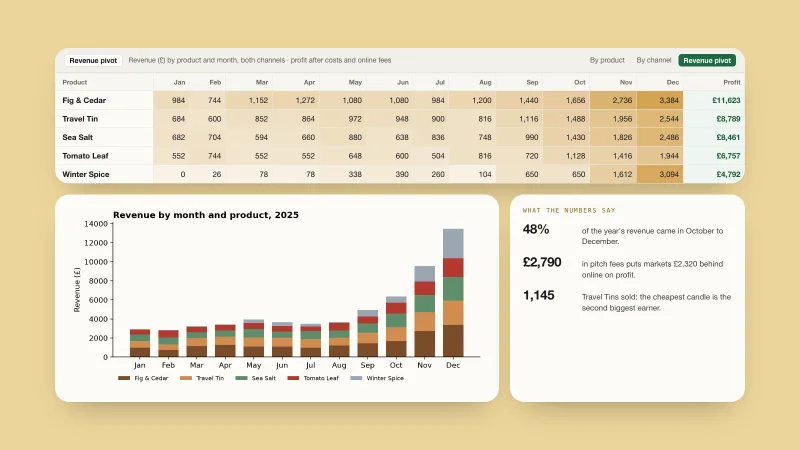
This skill is built into the Claude app. It reads, creates and edits spreadsheets (.xlsx, .xlsm, .csv and .tsv). It builds new sheets with formulas and formatting, fixes broken ones and cleans messy data into tidy tables.
It follows firm rules: use real formulas so the sheet recalculates, never paste a typed-in total; check the file for formula errors before handing it over; use a plain professional font; follow your exact tab names and column headers; and document assumptions where you can see them. It uses common Python tools for the work.
Best for: Anyone who works with spreadsheets and wants correct formulas, not just numbers.
- Reads and edits .xlsx, .csv and .tsv
- Live formulas instead of pasted totals
- Checks for formula errors after recalculation
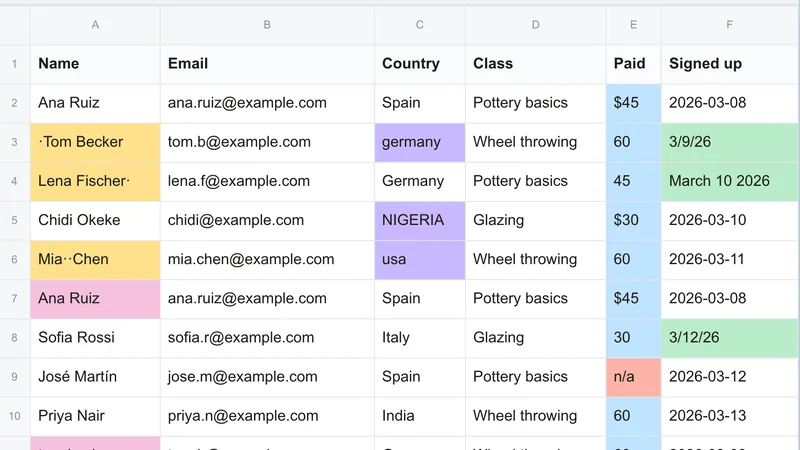
- Cleans messy tables and misplaced headers
- Notes assumptions and sources in the sheet
Example prompts
Type something like this once the skill is added. Your app opens the skill when the request matches.
-
Build a monthly budget spreadsheet with formulas for totals and savings.
-
Clean up this messy CSV and turn it into a proper Excel sheet.
-
Add a column that calculates profit margin in this workbook.
-
Fix the errors in this spreadsheet.
What’s inside
This skill lives inside the Claude app and its files are not ours to hand out. It is made of 53 files, 51 of them program files. Claude runs them for you when you ask.
Which apps it works in
This skill is part of the Claude app. For other apps, look at the similar skills at the bottom of the page.
How to add Excel Spreadsheets to your app
Step by step for each app. We say where to click, so you never need to leave this page.
Claude appby Anthropic
- 1 Open the Claude app and go to Settings > Features.
- 2 Make sure code execution and file creation is switched on. That is what lets Claude build real files.
- 3 Nothing to download or upload: this skill is built in. Ask for what you want, for example: “Build a monthly budget spreadsheet with formulas for totals and savings.”
- 4 Claude opens the skill by itself when your request matches it.
The current Claude Help Center lists Free, Pro, Max, Team and Enterprise. Organization policy can restrict uploads and sharing. Chat runs code in an isolated environment; uploading a skill does not give it your local project, coding-agent tools or unrestricted network access.
This skill includes 51 program files. That is normal for skills that build real files, but read them first, and stop if anything asks for passwords or outside downloads.
Questions about Excel Spreadsheets
Where do I get it?
It is built into the Claude app. Its licence is proprietary, so we do not offer a download.
Will the formulas update when I change a number?
Yes. The skill is required to use formulas, not typed-in results.
Does it work with Google Sheets?
It makes Excel files (.xlsx).
Is the Excel Spreadsheets skill free?
Yes. It is built into the Claude app, so there is nothing to buy or download. The steps above show how to turn it on.
Who made the Excel Spreadsheets skill?
Anthropic. We did not write it. Best Agent Skills curates skills like this one, explains them in plain words and shows how to add them to your app.