Taste Skill
Art direction for websites drawn from 247 award-gallery sites, then checks the result in a real browser.
A Premium skill. Premium opens soon.
- By
- Leonxlnx
- Licence
- MIT
- Installs
- 644.9K
- Works in
- 17 apps
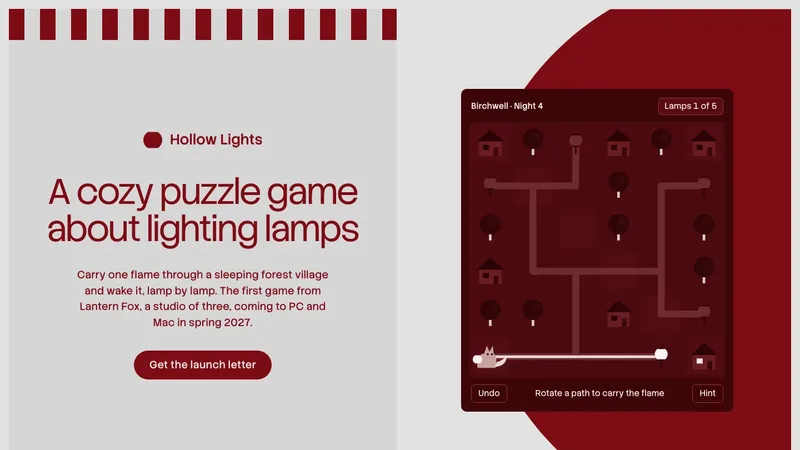
What Taste Skill makes
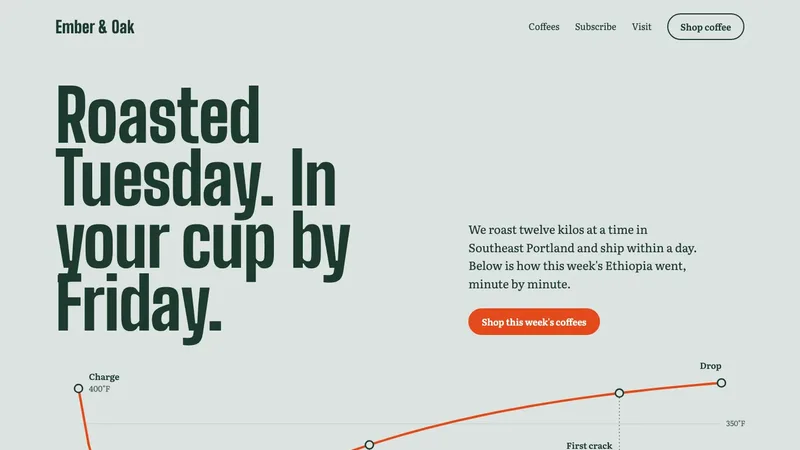
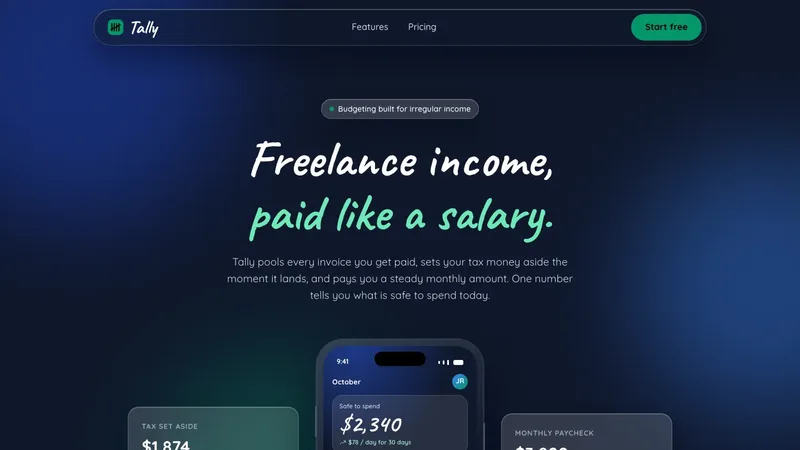
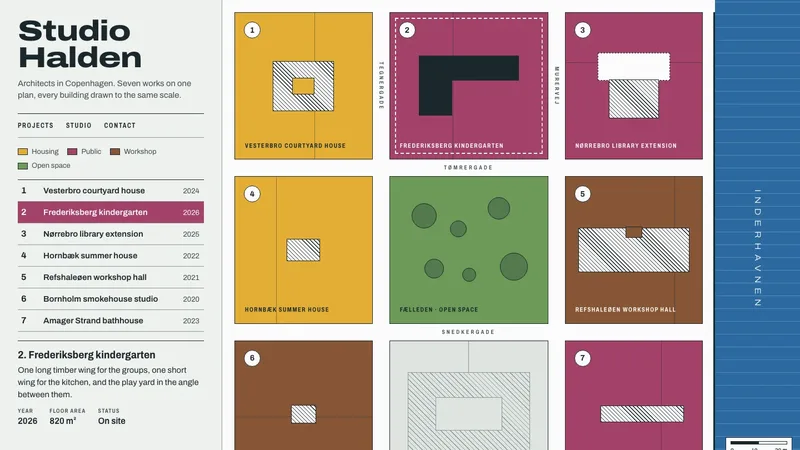
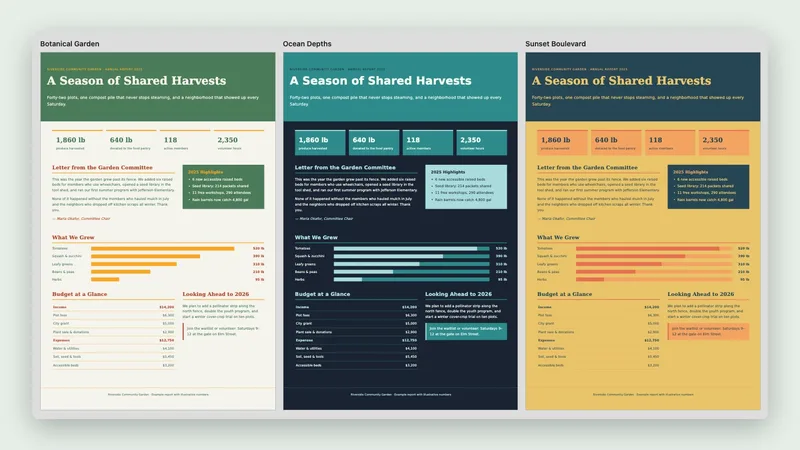
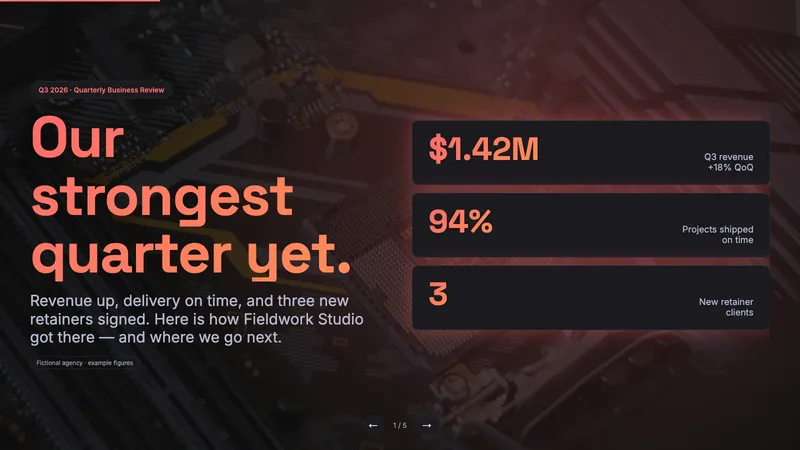
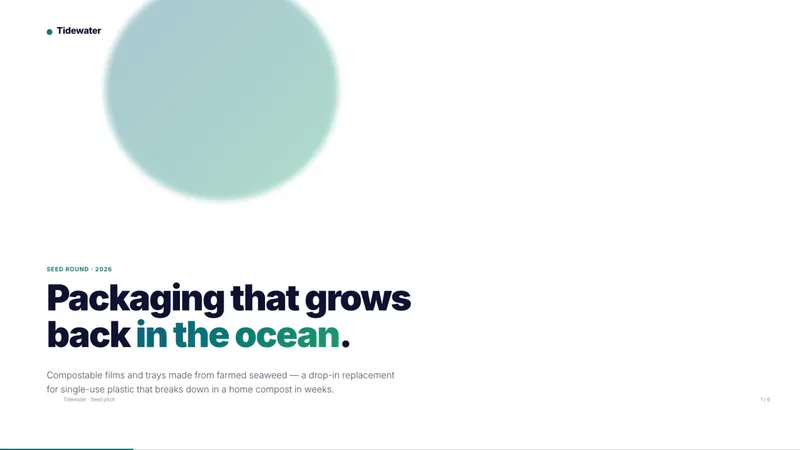
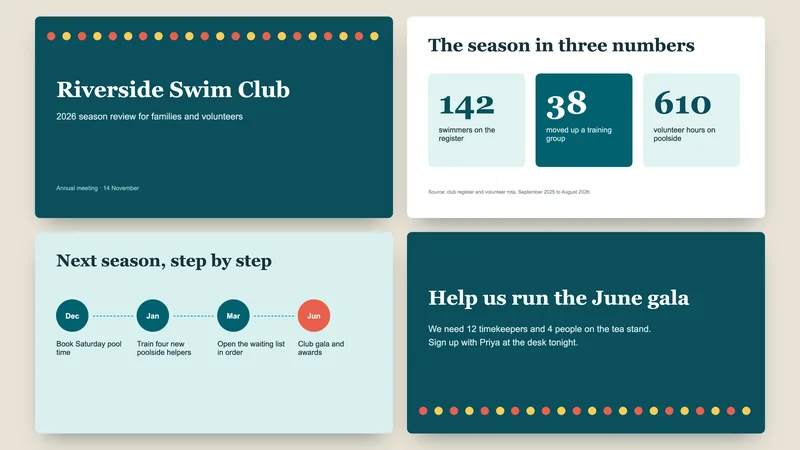
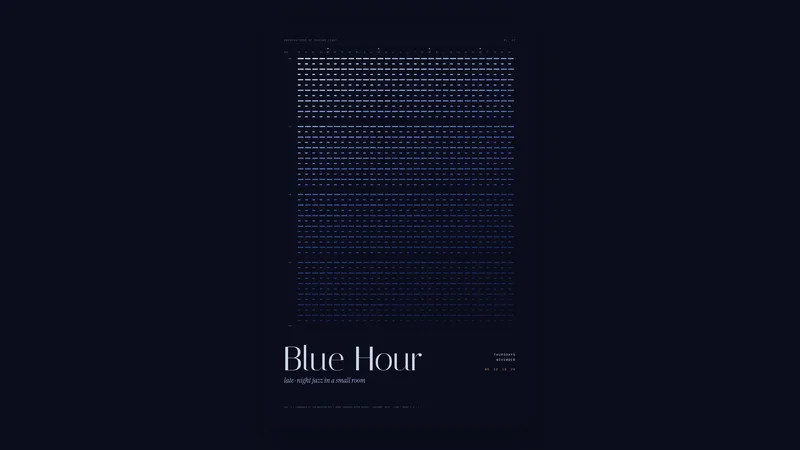
Taste Skill is a stronger guard against samey AI websites. Instead of letting your AI invent a look, a script deals three researched art directions from a library of twenty, built from a study of 247 well-regarded gallery sites. The AI chooses the one that fits your subject and gets matching type, colors and section layouts.
Then it builds the page and checks it. An inspector tool opens the page in a real browser and tests it against a strict no-ornament house style, and the AI takes screenshots at three widths, critiques them like a jury, fixes problems and looks again. There is a separate path for app screens such as dashboards.
Best for: People who want the page to feel art-directed and are happy to let the AI run a longer, more careful process.
- Draws three art directions from twenty, then you choose one
- Browser inspector that measures the page against its rules
- Screenshots at three widths and a fix-and-look-again loop
- A separate set of rules for dashboards and other app screens
- Can find pictures that are free to use, with credits
Made with this skill
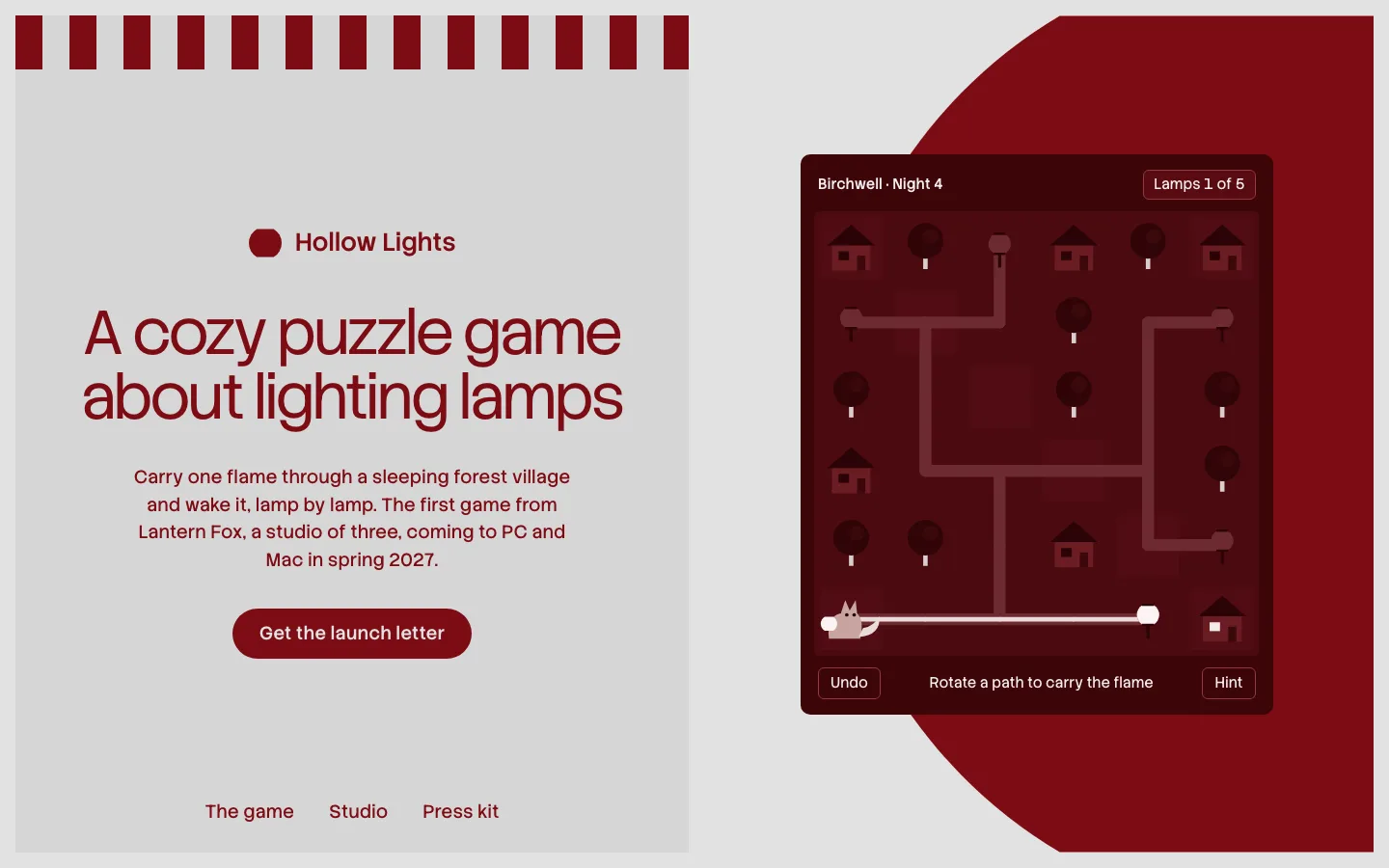
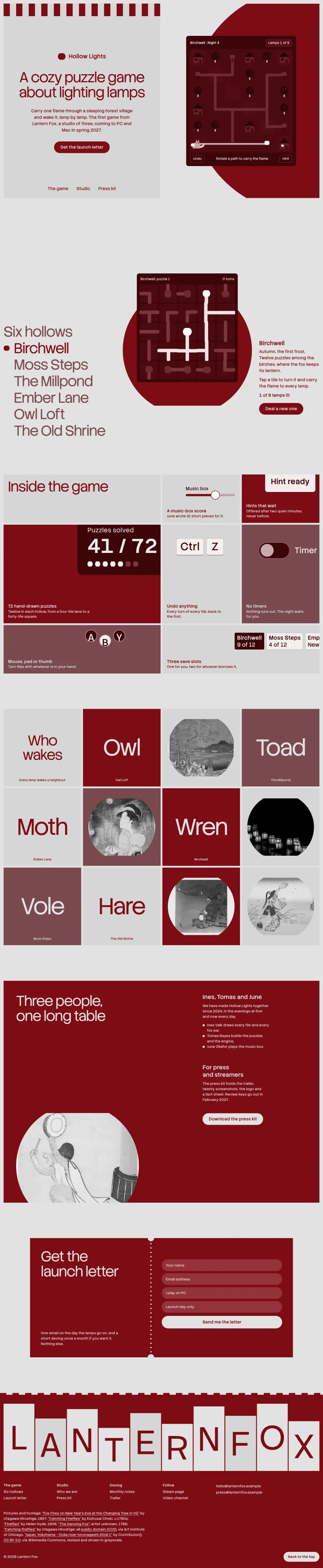
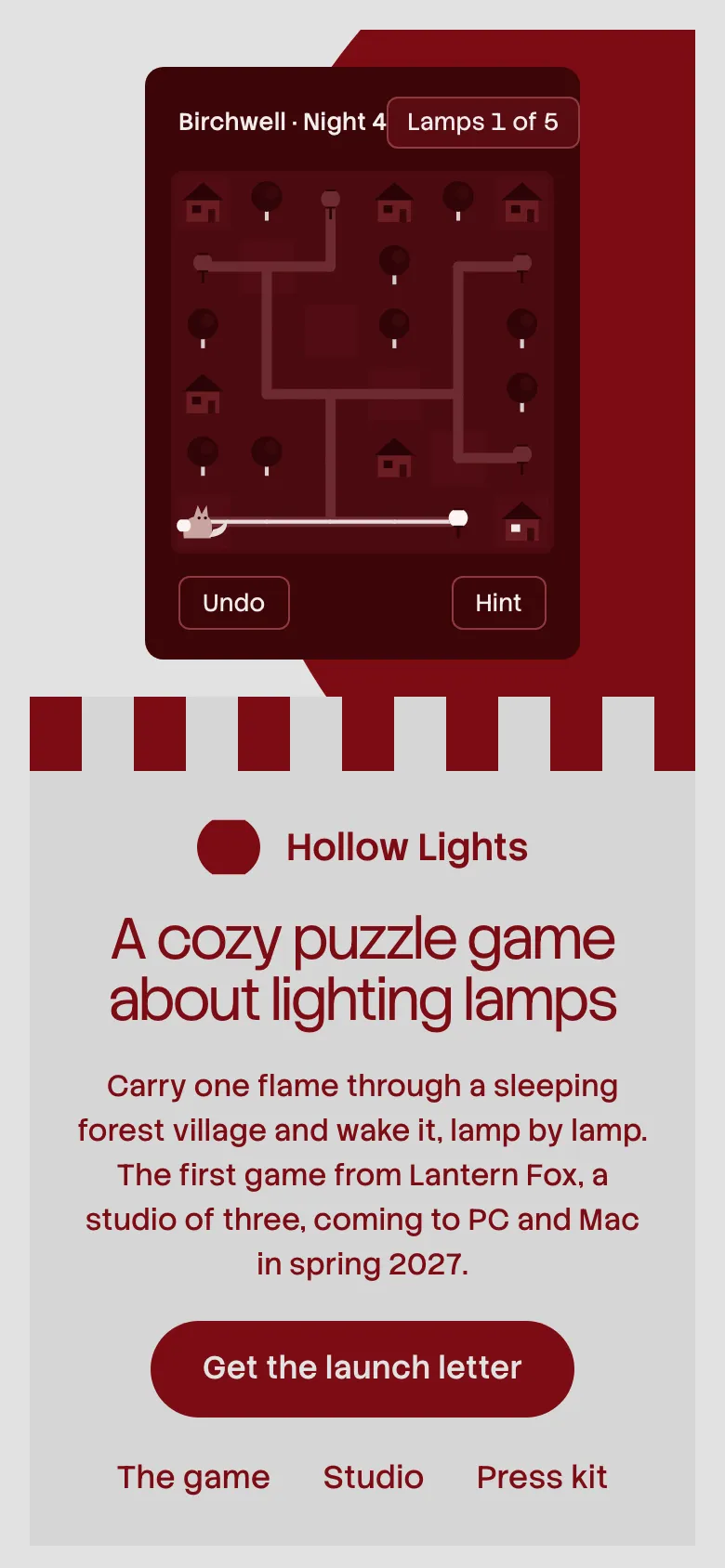
Hollow Lights announcement site for Lantern Fox. A site for "Lantern Fox", a three-person indie game studio announcing its cozy puzzle game: bold hero, game features, newsletter signup (non-functional), press kit link. Any brands, names or numbers inside are invented examples.
Example prompts
Type something like this once the skill is added. Your app opens the skill when the request matches.
-
Build a site for a three-person indie game studio announcing a cozy puzzle game.
-
Make my landing page look designed, not AI-made.
-
Design a restaurant one-pager with a strong idea taken from the restaurant's name.
-
Restyle my analytics dashboard in a calm, clean way.
What’s inside
39 files in the skill folder, with its MIT licence kept inside. 12 are program files your agent can run. Read them before you install.
- SKILL.md the instructions
- assets/ 6 files
- evals/ 1 files
- library/ 9 files
- references/ 11 files
- scripts/ 9 files
- LICENSE licence
- README.md
Which apps it works in
A skill is a folder of plain files, so any app that reads the open skills format can use it. Pick your app for its page.
How to add Taste Skill to your app
Step by step for each app. We say where to click, so you never need to leave this page.
ChatGPTby OpenAI
- 1 Download the skill (.zip) with the button at the top of this page, then unzip it.
- 2 Open the ChatGPT desktop app and look for Skills in the sidebar, where standalone skills are listed.
- 3 Add the “design-taste-frontend” folder there if your version offers it. If you do not see Skills yet, use this skill in Claude or Codex instead.
- 4 In a chat, type @ and pick the skill, or just ask. Ask for what you want, for example: “Build a site for a three-person indie game studio announcing a cozy puzzle game.”
To make your own, describe the workflow to @skill-creator in ChatGPT Work and it drafts a skill for you.
Claude appby Anthropic
- 1 Download the skill (.zip) with the button at the top of this page.
- 2 In the Claude app, open Settings > Features.
- 3 Upload the .zip file.
- 4 Ask for what you want, for example: “Build a site for a three-person indie game studio announcing a cozy puzzle game.”
The current Claude Help Center lists Free, Pro, Max, Team and Enterprise. Organization policy can restrict uploads and sharing. Chat runs code in an isolated environment; uploading a skill does not give it your local project, coding-agent tools or unrestricted network access.
Codexby OpenAI
- 1 Download the skill (.zip) with the button at the top of this page, then unzip it.
- 2 Move the “design-taste-frontend” folder into your skills folder:
~/.agents/skills - 3 Or paste the install prompt below into Codex and let it do the copying.
- 4 Start a new session. Ask for what you want, for example: “Build a site for a three-person indie game studio announcing a cozy puzzle game.”
Install prompt: paste this into Codex
I downloaded the agent skill "Taste Skill" as design-taste-frontend.zip. Unzip it and copy the design-taste-frontend folder into ~/.agents/skills. Before you finish, list every file it contains, show me any scripts and what they do, and stop if anything asks for passwords, API keys or downloads from other websites.
To use the skill in one project only, put it in .agents/skills inside that project instead.
Claude Codeby Anthropic
- 1 Download the skill (.zip) with the button at the top of this page, then unzip it.
- 2 Move the “design-taste-frontend” folder into your skills folder:
~/.claude/skills - 3 Or paste the install prompt below into Claude Code and let it do the copying.
- 4 Start a new session. Ask for what you want, for example: “Build a site for a three-person indie game studio announcing a cozy puzzle game.”
Install prompt: paste this into Claude Code
I downloaded the agent skill "Taste Skill" as design-taste-frontend.zip. Unzip it and copy the design-taste-frontend folder into ~/.claude/skills. Before you finish, list every file it contains, show me any scripts and what they do, and stop if anything asks for passwords, API keys or downloads from other websites.
Built-in installer: claude plugin marketplace add <owner/repo>
Built-in installer: claude plugin install <plugin>@<marketplace>
To use the skill in one project only, put it in .claude/skills inside that project instead.
Cursor
- 1 Download the skill (.zip) with the button at the top of this page, then unzip it.
- 2 Move the “design-taste-frontend” folder into your skills folder:
~/.cursor/skills - 3 Or paste the install prompt below into Cursor and let it do the copying.
- 4 Start a new session. Ask for what you want, for example: “Build a site for a three-person indie game studio announcing a cozy puzzle game.”
Install prompt: paste this into Cursor
I downloaded the agent skill "Taste Skill" as design-taste-frontend.zip. Unzip it and copy the design-taste-frontend folder into ~/.cursor/skills. Before you finish, list every file it contains, show me any scripts and what they do, and stop if anything asks for passwords, API keys or downloads from other websites.
To use the skill in one project only, put it in .cursor/skills inside that project instead. Cursor also reads ~/.agents/skills, ~/.claude/skills, ~/.codex/skills.
GitHub Copilotby GitHub
- 1 Download the skill (.zip) with the button at the top of this page, then unzip it.
- 2 Move the “design-taste-frontend” folder into your skills folder:
~/.copilot/skills - 3 Or paste the install prompt below into GitHub Copilot and let it do the copying.
- 4 Start a new session. Ask for what you want, for example: “Build a site for a three-person indie game studio announcing a cozy puzzle game.”
Install prompt: paste this into GitHub Copilot
I downloaded the agent skill "Taste Skill" as design-taste-frontend.zip. Unzip it and copy the design-taste-frontend folder into ~/.copilot/skills. Before you finish, list every file it contains, show me any scripts and what they do, and stop if anything asks for passwords, API keys or downloads from other websites.
Built-in installer: gh skill install <owner/repo> <skill> --agent github-copilot --scope user
To use the skill in one project only, put it in .github/skills inside that project instead. GitHub Copilot also reads ~/.agents/skills.
Gemini CLIby Google
- 1 Download the skill (.zip) with the button at the top of this page, then unzip it.
- 2 Move the “design-taste-frontend” folder into your skills folder:
~/.gemini/skills - 3 Or paste the install prompt below into Gemini CLI and let it do the copying.
- 4 Start a new session. Ask for what you want, for example: “Build a site for a three-person indie game studio announcing a cozy puzzle game.”
Install prompt: paste this into Gemini CLI
I downloaded the agent skill "Taste Skill" as design-taste-frontend.zip. Unzip it and copy the design-taste-frontend folder into ~/.gemini/skills. Before you finish, list every file it contains, show me any scripts and what they do, and stop if anything asks for passwords, API keys or downloads from other websites.
Built-in installer: gemini skills install <git-url>
To use the skill in one project only, put it in .gemini/skills inside that project instead. Gemini CLI also reads ~/.agents/skills.
Windsurf
- 1 Download the skill (.zip) with the button at the top of this page, then unzip it.
- 2 Move the “design-taste-frontend” folder into your skills folder:
~/.codeium/windsurf/skills - 3 Or paste the install prompt below into Windsurf and let it do the copying.
- 4 Start a new session. Ask for what you want, for example: “Build a site for a three-person indie game studio announcing a cozy puzzle game.”
Install prompt: paste this into Windsurf
I downloaded the agent skill "Taste Skill" as design-taste-frontend.zip. Unzip it and copy the design-taste-frontend folder into ~/.codeium/windsurf/skills. Before you finish, list every file it contains, show me any scripts and what they do, and stop if anything asks for passwords, API keys or downloads from other websites.
To use the skill in one project only, put it in .windsurf/skills inside that project instead.
Kiro
- 1 Download the skill (.zip) with the button at the top of this page, then unzip it.
- 2 Move the “design-taste-frontend” folder into your skills folder:
~/.kiro/skills - 3 Or paste the install prompt below into Kiro and let it do the copying.
- 4 Start a new session. Ask for what you want, for example: “Build a site for a three-person indie game studio announcing a cozy puzzle game.”
Install prompt: paste this into Kiro
I downloaded the agent skill "Taste Skill" as design-taste-frontend.zip. Unzip it and copy the design-taste-frontend folder into ~/.kiro/skills. Before you finish, list every file it contains, show me any scripts and what they do, and stop if anything asks for passwords, API keys or downloads from other websites.
To use the skill in one project only, put it in .kiro/skills inside that project instead.
Antigravityby Google
- 1 Download the skill (.zip) with the button at the top of this page, then unzip it.
- 2 Move the “design-taste-frontend” folder into your skills folder:
~/.gemini/antigravity/skills - 3 Or paste the install prompt below into Antigravity and let it do the copying.
- 4 Start a new session. Ask for what you want, for example: “Build a site for a three-person indie game studio announcing a cozy puzzle game.”
Install prompt: paste this into Antigravity
I downloaded the agent skill "Taste Skill" as design-taste-frontend.zip. Unzip it and copy the design-taste-frontend folder into ~/.gemini/antigravity/skills. Before you finish, list every file it contains, show me any scripts and what they do, and stop if anything asks for passwords, API keys or downloads from other websites.
To use the skill in one project only, put it in .agents/skills inside that project instead.
OpenCode
- 1 Download the skill (.zip) with the button at the top of this page, then unzip it.
- 2 Move the “design-taste-frontend” folder into your skills folder:
~/.config/opencode/skills - 3 Or paste the install prompt below into OpenCode and let it do the copying.
- 4 Start a new session. Ask for what you want, for example: “Build a site for a three-person indie game studio announcing a cozy puzzle game.”
Install prompt: paste this into OpenCode
I downloaded the agent skill "Taste Skill" as design-taste-frontend.zip. Unzip it and copy the design-taste-frontend folder into ~/.config/opencode/skills. Before you finish, list every file it contains, show me any scripts and what they do, and stop if anything asks for passwords, API keys or downloads from other websites.
To use the skill in one project only, put it in .opencode/skills inside that project instead. OpenCode also reads ~/.agents/skills, ~/.claude/skills.
Cline
- 1 Download the skill (.zip) with the button at the top of this page, then unzip it.
- 2 Move the “design-taste-frontend” folder into your skills folder:
~/.agents/skills - 3 Or paste the install prompt below into Cline and let it do the copying.
- 4 Start a new session. Ask for what you want, for example: “Build a site for a three-person indie game studio announcing a cozy puzzle game.”
Install prompt: paste this into Cline
I downloaded the agent skill "Taste Skill" as design-taste-frontend.zip. Unzip it and copy the design-taste-frontend folder into ~/.agents/skills. Before you finish, list every file it contains, show me any scripts and what they do, and stop if anything asks for passwords, API keys or downloads from other websites.
To use the skill in one project only, put it in .agents/skills inside that project instead.
Amp
- 1 Download the skill (.zip) with the button at the top of this page, then unzip it.
- 2 Move the “design-taste-frontend” folder into your skills folder:
~/.config/agents/skills - 3 Or paste the install prompt below into Amp and let it do the copying.
- 4 Start a new session. Ask for what you want, for example: “Build a site for a three-person indie game studio announcing a cozy puzzle game.”
Install prompt: paste this into Amp
I downloaded the agent skill "Taste Skill" as design-taste-frontend.zip. Unzip it and copy the design-taste-frontend folder into ~/.config/agents/skills. Before you finish, list every file it contains, show me any scripts and what they do, and stop if anything asks for passwords, API keys or downloads from other websites.
Built-in installer: amp skill add <github-url> --global
To use the skill in one project only, put it in .agents/skills inside that project instead. Amp also reads ~/.agents/skills, ~/.config/amp/skills, ~/.claude/skills.
Gooseby Block
- 1 Download the skill (.zip) with the button at the top of this page, then unzip it.
- 2 Move the “design-taste-frontend” folder into your skills folder:
~/.agents/skills - 3 Or paste the install prompt below into Goose and let it do the copying.
- 4 Start a new session. Ask for what you want, for example: “Build a site for a three-person indie game studio announcing a cozy puzzle game.”
Install prompt: paste this into Goose
I downloaded the agent skill "Taste Skill" as design-taste-frontend.zip. Unzip it and copy the design-taste-frontend folder into ~/.agents/skills. Before you finish, list every file it contains, show me any scripts and what they do, and stop if anything asks for passwords, API keys or downloads from other websites.
To use the skill in one project only, put it in .agents/skills inside that project instead. Goose also reads ~/.claude/skills.
OpenClaw
- 1 Download the skill (.zip) with the button at the top of this page, then unzip it.
- 2 Move the “design-taste-frontend” folder into your skills folder:
~/.openclaw/skills - 3 Or paste the install prompt below into OpenClaw and let it do the copying.
- 4 Start a new session. Ask for what you want, for example: “Build a site for a three-person indie game studio announcing a cozy puzzle game.”
Install prompt: paste this into OpenClaw
I downloaded the agent skill "Taste Skill" as design-taste-frontend.zip. Unzip it and copy the design-taste-frontend folder into ~/.openclaw/skills. Before you finish, list every file it contains, show me any scripts and what they do, and stop if anything asks for passwords, API keys or downloads from other websites.
Built-in installer: openclaw skills install @owner/<slug>
Built-in installer: openclaw skills install @owner/<slug> --global
Built-in installer: openclaw skills install git:owner/repo@ref
To use the skill in one project only, put it in skills inside that project instead. OpenClaw also reads ~/.agents/skills.
Hermes Agentby Nous Research
- 1 Download the skill (.zip) with the button at the top of this page, then unzip it.
- 2 Move the “design-taste-frontend” folder into your skills folder:
~/.hermes/skills - 3 Or paste the install prompt below into Hermes Agent and let it do the copying.
- 4 Start a new session. Ask for what you want, for example: “Build a site for a three-person indie game studio announcing a cozy puzzle game.”
Install prompt: paste this into Hermes Agent
I downloaded the agent skill "Taste Skill" as design-taste-frontend.zip. Unzip it and copy the design-taste-frontend folder into ~/.hermes/skills. Before you finish, list every file it contains, show me any scripts and what they do, and stop if anything asks for passwords, API keys or downloads from other websites.
Built-in installer: hermes skills install <owner/repo/skill>
VS Codeby Microsoft
- 1 Download the skill (.zip) with the button at the top of this page, then unzip it.
- 2 Move the “design-taste-frontend” folder into your skills folder:
~/.copilot/skills - 3 Or paste the install prompt below into VS Code and let it do the copying.
- 4 Start a new session. Ask for what you want, for example: “Build a site for a three-person indie game studio announcing a cozy puzzle game.”
Install prompt: paste this into VS Code
I downloaded the agent skill "Taste Skill" as design-taste-frontend.zip. Unzip it and copy the design-taste-frontend folder into ~/.copilot/skills. Before you finish, list every file it contains, show me any scripts and what they do, and stop if anything asks for passwords, API keys or downloads from other websites.
To use the skill in one project only, put it in .github/skills inside that project instead. VS Code also reads ~/.claude/skills, ~/.agents/skills.
This skill includes 12 program files. That is normal for skills that build real files, but read them first, and stop if anything asks for passwords or outside downloads.
Questions about Taste Skill
What does my computer need?
The scripts need Node 22 or newer and an installed Chrome, Edge or Chromium browser. One image-finding script also needs internet access and no API keys.
Does it use real photos?
It can find openly licensed pictures and credit them. In our test, it used public-domain prints and a freely licensed clip, credited in the page footer.
Was this skill tested?
We ran it for a made-up game studio site. The AI got an oxblood-and-grey look built around a paper lantern, and its inspector finished with no failures and four warnings after three review rounds. The studio and game were invented.
Is the Taste Skill skill free?
It is a Premium skill on Best Agent Skills. Premium opens soon, with monthly, yearly and lifetime plans on the pricing page.
Who made the Taste Skill skill?
Leonxlnx. We did not write it. Best Agent Skills curates skills like this one, explains them in plain words and shows how to add them to your app. It is shared under the MIT licence (Copyright (c) 2026 Leonxlnx).