Faceless Explainer skill
Turns an article, notes or a topic into an explainer video with invented visuals for each scene.
A Premium skill. Premium opens soon.
- By
- HeyGen
- Licence
- Apache-2.0
- Installs
- 512.8K
- Works in
- 17 apps
What Faceless Explainer makes
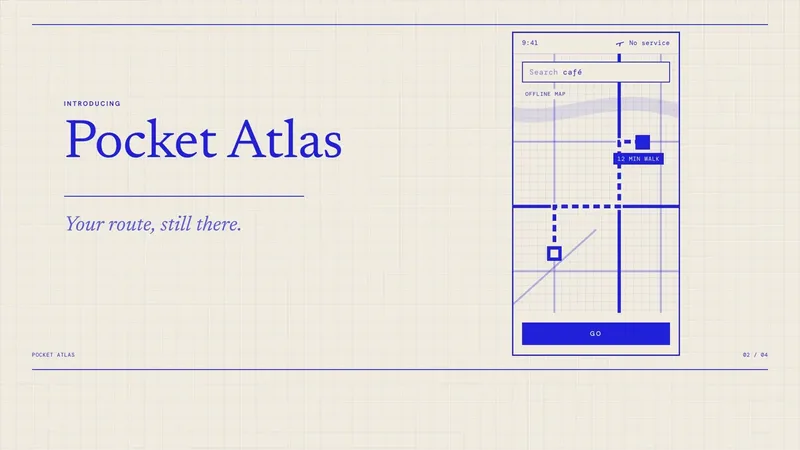
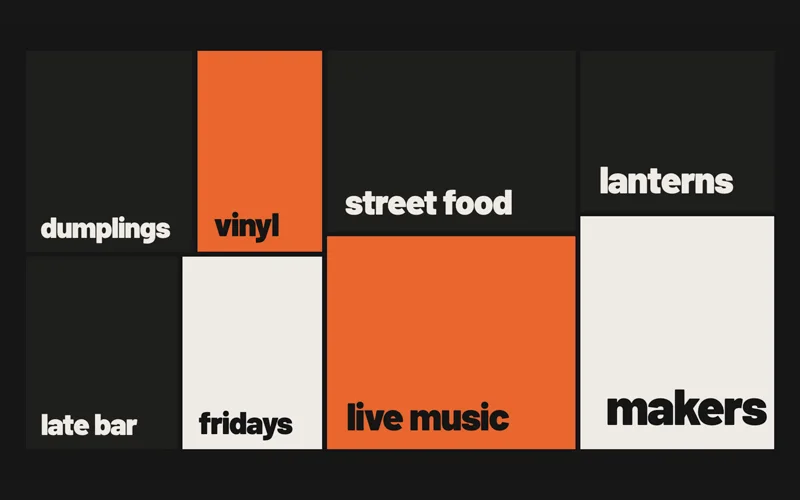
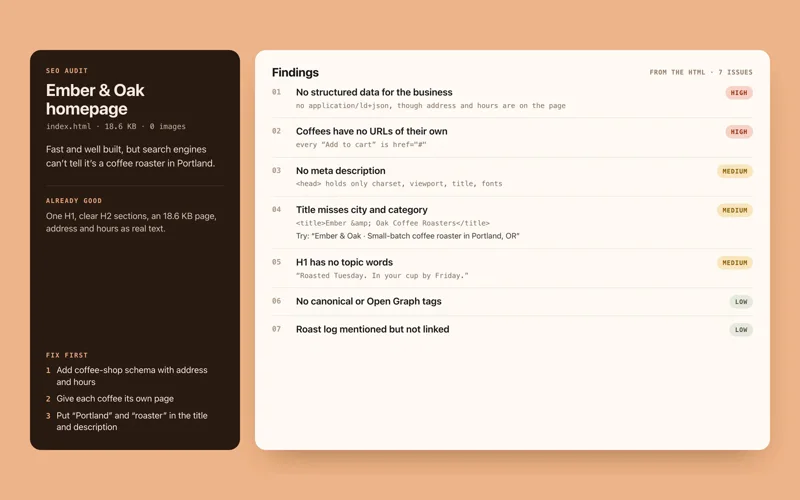
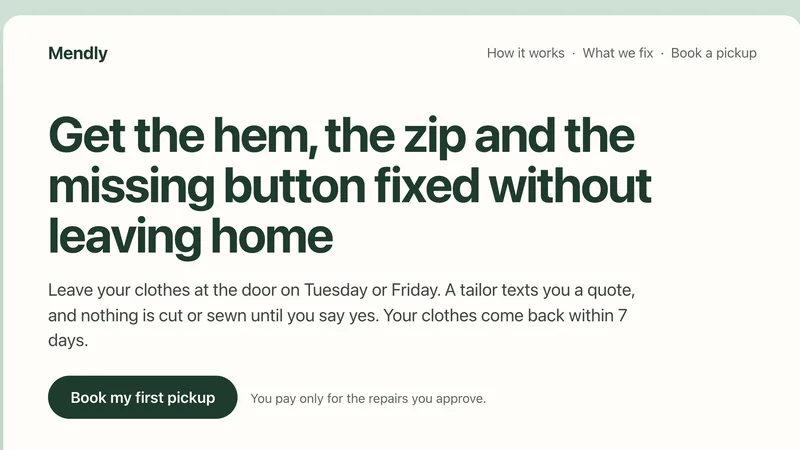
This skill turns text into an explainer video with no presenter on screen. You give it an article, your notes, a topic or a short brief. Because there is no website or footage to capture, it invents the visuals for each scene: big type, abstract graphics, diagrams and charts.
It picks a design system, plans a teaching story, writes a script and storyboard, then builds the video scene by scene in HyperFrames and renders it. Use it for topic explainers, concept breakdowns, how-tos and listicles.
Best for: Teachers, writers and creators who want a video version of their text without filming.
- Works from plain text, with no site or footage needed
- Plans a teaching story first, then a script and storyboard
- Visuals made from type, diagrams and data graphics
- Builds each scene separately and renders an MP4
- You confirm the brief and approve the final render
Made with this skill
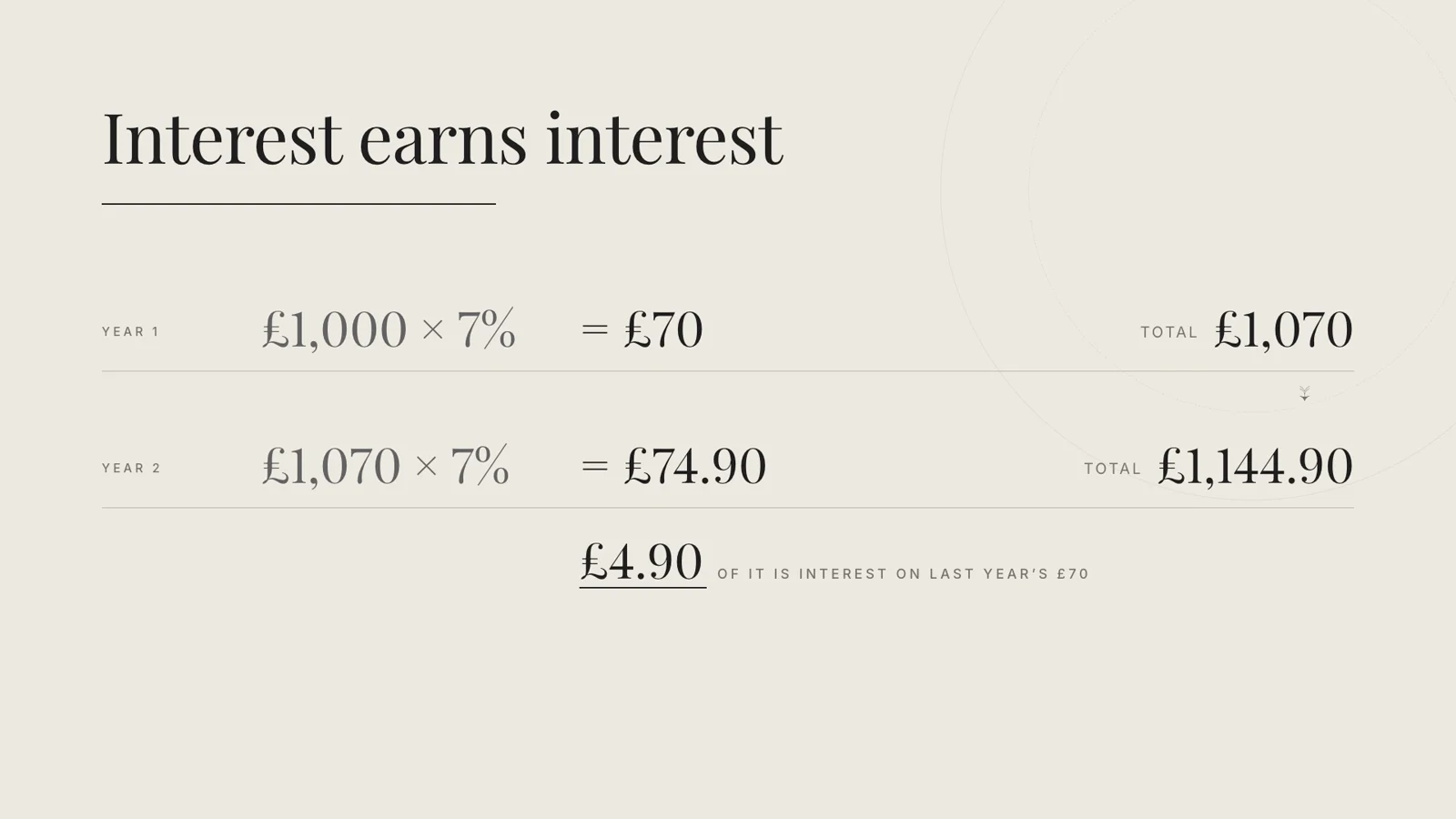
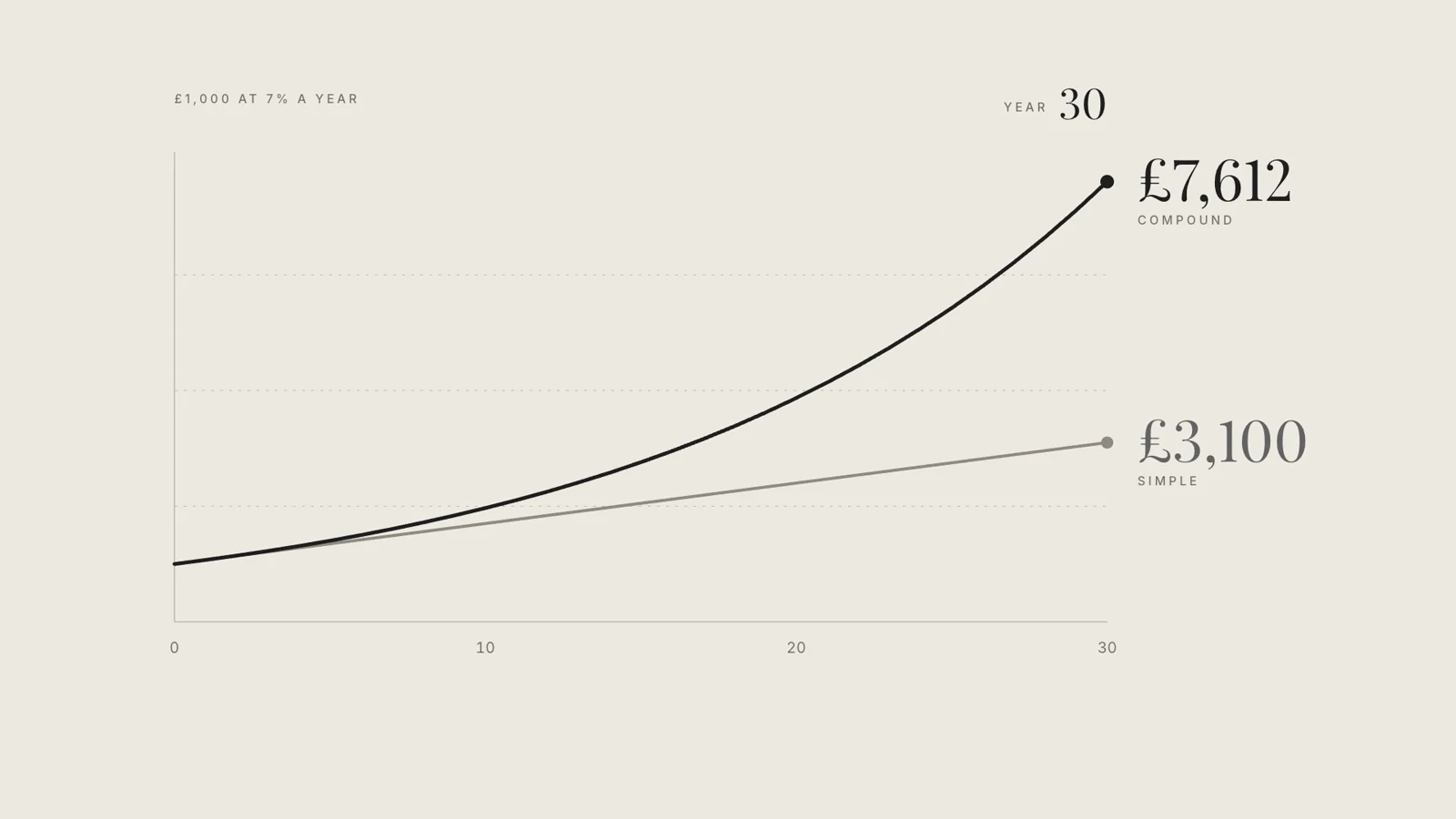
How compound interest works, in 20 seconds. "Explain how compound interest works in a short video with simple charts." (the skill page's example prompt). Answers given with the brief: 16:9, about 20 seconds, silent with on-screen words, for complete beginners. Any brands, names or numbers inside are invented examples.



Example prompts
Type something like this once the skill is added. Your app opens the skill when the request matches.
-
Turn this article about how vaccines work into a 60-second explainer video.
-
Make a how-to video from my notes on setting up a home network.
-
Create a listicle video: five ways to save energy at home.
-
Explain how compound interest works in a short video with simple charts.
What’s inside
30 files in the skill folder, with its Apache-2.0 licence kept inside. 22 are program files your agent can run. Read them before you install.
- SKILL.md the instructions
- references/ 4 files
- scripts/ 23 files
- sub-agents/ 1 files
- LICENSE licence
Which apps it works in
A skill is a folder of plain files, so any app that reads the open skills format can use it. Pick your app for its page.
How to add Faceless Explainer to your app
Step by step for each app. We say where to click, so you never need to leave this page.
ChatGPTby OpenAI
- 1 Download the skill (.zip) with the button at the top of this page, then unzip it.
- 2 Open the ChatGPT desktop app and look for Skills in the sidebar, where standalone skills are listed.
- 3 Add the “faceless-explainer” folder there if your version offers it. If you do not see Skills yet, use this skill in Claude or Codex instead.
- 4 In a chat, type @ and pick the skill, or just ask. Ask for what you want, for example: “Turn this article about how vaccines work into a 60-second explainer video.”
To make your own, describe the workflow to @skill-creator in ChatGPT Work and it drafts a skill for you.
Claude appby Anthropic
- 1 Download the skill (.zip) with the button at the top of this page.
- 2 In the Claude app, open Settings > Features.
- 3 Upload the .zip file.
- 4 Ask for what you want, for example: “Turn this article about how vaccines work into a 60-second explainer video.”
The current Claude Help Center lists Free, Pro, Max, Team and Enterprise. Organization policy can restrict uploads and sharing. Chat runs code in an isolated environment; uploading a skill does not give it your local project, coding-agent tools or unrestricted network access.
Codexby OpenAI
- 1 Download the skill (.zip) with the button at the top of this page, then unzip it.
- 2 Move the “faceless-explainer” folder into your skills folder:
~/.agents/skills - 3 Or paste the install prompt below into Codex and let it do the copying.
- 4 Start a new session. Ask for what you want, for example: “Turn this article about how vaccines work into a 60-second explainer video.”
Install prompt: paste this into Codex
I downloaded the agent skill "Faceless Explainer" as faceless-explainer.zip. Unzip it and copy the faceless-explainer folder into ~/.agents/skills. Before you finish, list every file it contains, show me any scripts and what they do, and stop if anything asks for passwords, API keys or downloads from other websites.
To use the skill in one project only, put it in .agents/skills inside that project instead.
Claude Codeby Anthropic
- 1 Download the skill (.zip) with the button at the top of this page, then unzip it.
- 2 Move the “faceless-explainer” folder into your skills folder:
~/.claude/skills - 3 Or paste the install prompt below into Claude Code and let it do the copying.
- 4 Start a new session. Ask for what you want, for example: “Turn this article about how vaccines work into a 60-second explainer video.”
Install prompt: paste this into Claude Code
I downloaded the agent skill "Faceless Explainer" as faceless-explainer.zip. Unzip it and copy the faceless-explainer folder into ~/.claude/skills. Before you finish, list every file it contains, show me any scripts and what they do, and stop if anything asks for passwords, API keys or downloads from other websites.
Built-in installer: claude plugin marketplace add <owner/repo>
Built-in installer: claude plugin install <plugin>@<marketplace>
To use the skill in one project only, put it in .claude/skills inside that project instead.
Cursor
- 1 Download the skill (.zip) with the button at the top of this page, then unzip it.
- 2 Move the “faceless-explainer” folder into your skills folder:
~/.cursor/skills - 3 Or paste the install prompt below into Cursor and let it do the copying.
- 4 Start a new session. Ask for what you want, for example: “Turn this article about how vaccines work into a 60-second explainer video.”
Install prompt: paste this into Cursor
I downloaded the agent skill "Faceless Explainer" as faceless-explainer.zip. Unzip it and copy the faceless-explainer folder into ~/.cursor/skills. Before you finish, list every file it contains, show me any scripts and what they do, and stop if anything asks for passwords, API keys or downloads from other websites.
To use the skill in one project only, put it in .cursor/skills inside that project instead. Cursor also reads ~/.agents/skills, ~/.claude/skills, ~/.codex/skills.
GitHub Copilotby GitHub
- 1 Download the skill (.zip) with the button at the top of this page, then unzip it.
- 2 Move the “faceless-explainer” folder into your skills folder:
~/.copilot/skills - 3 Or paste the install prompt below into GitHub Copilot and let it do the copying.
- 4 Start a new session. Ask for what you want, for example: “Turn this article about how vaccines work into a 60-second explainer video.”
Install prompt: paste this into GitHub Copilot
I downloaded the agent skill "Faceless Explainer" as faceless-explainer.zip. Unzip it and copy the faceless-explainer folder into ~/.copilot/skills. Before you finish, list every file it contains, show me any scripts and what they do, and stop if anything asks for passwords, API keys or downloads from other websites.
Built-in installer: gh skill install <owner/repo> <skill> --agent github-copilot --scope user
To use the skill in one project only, put it in .github/skills inside that project instead. GitHub Copilot also reads ~/.agents/skills.
Gemini CLIby Google
- 1 Download the skill (.zip) with the button at the top of this page, then unzip it.
- 2 Move the “faceless-explainer” folder into your skills folder:
~/.gemini/skills - 3 Or paste the install prompt below into Gemini CLI and let it do the copying.
- 4 Start a new session. Ask for what you want, for example: “Turn this article about how vaccines work into a 60-second explainer video.”
Install prompt: paste this into Gemini CLI
I downloaded the agent skill "Faceless Explainer" as faceless-explainer.zip. Unzip it and copy the faceless-explainer folder into ~/.gemini/skills. Before you finish, list every file it contains, show me any scripts and what they do, and stop if anything asks for passwords, API keys or downloads from other websites.
Built-in installer: gemini skills install <git-url>
To use the skill in one project only, put it in .gemini/skills inside that project instead. Gemini CLI also reads ~/.agents/skills.
Windsurf
- 1 Download the skill (.zip) with the button at the top of this page, then unzip it.
- 2 Move the “faceless-explainer” folder into your skills folder:
~/.codeium/windsurf/skills - 3 Or paste the install prompt below into Windsurf and let it do the copying.
- 4 Start a new session. Ask for what you want, for example: “Turn this article about how vaccines work into a 60-second explainer video.”
Install prompt: paste this into Windsurf
I downloaded the agent skill "Faceless Explainer" as faceless-explainer.zip. Unzip it and copy the faceless-explainer folder into ~/.codeium/windsurf/skills. Before you finish, list every file it contains, show me any scripts and what they do, and stop if anything asks for passwords, API keys or downloads from other websites.
To use the skill in one project only, put it in .windsurf/skills inside that project instead.
Kiro
- 1 Download the skill (.zip) with the button at the top of this page, then unzip it.
- 2 Move the “faceless-explainer” folder into your skills folder:
~/.kiro/skills - 3 Or paste the install prompt below into Kiro and let it do the copying.
- 4 Start a new session. Ask for what you want, for example: “Turn this article about how vaccines work into a 60-second explainer video.”
Install prompt: paste this into Kiro
I downloaded the agent skill "Faceless Explainer" as faceless-explainer.zip. Unzip it and copy the faceless-explainer folder into ~/.kiro/skills. Before you finish, list every file it contains, show me any scripts and what they do, and stop if anything asks for passwords, API keys or downloads from other websites.
To use the skill in one project only, put it in .kiro/skills inside that project instead.
Antigravityby Google
- 1 Download the skill (.zip) with the button at the top of this page, then unzip it.
- 2 Move the “faceless-explainer” folder into your skills folder:
~/.gemini/antigravity/skills - 3 Or paste the install prompt below into Antigravity and let it do the copying.
- 4 Start a new session. Ask for what you want, for example: “Turn this article about how vaccines work into a 60-second explainer video.”
Install prompt: paste this into Antigravity
I downloaded the agent skill "Faceless Explainer" as faceless-explainer.zip. Unzip it and copy the faceless-explainer folder into ~/.gemini/antigravity/skills. Before you finish, list every file it contains, show me any scripts and what they do, and stop if anything asks for passwords, API keys or downloads from other websites.
To use the skill in one project only, put it in .agents/skills inside that project instead.
OpenCode
- 1 Download the skill (.zip) with the button at the top of this page, then unzip it.
- 2 Move the “faceless-explainer” folder into your skills folder:
~/.config/opencode/skills - 3 Or paste the install prompt below into OpenCode and let it do the copying.
- 4 Start a new session. Ask for what you want, for example: “Turn this article about how vaccines work into a 60-second explainer video.”
Install prompt: paste this into OpenCode
I downloaded the agent skill "Faceless Explainer" as faceless-explainer.zip. Unzip it and copy the faceless-explainer folder into ~/.config/opencode/skills. Before you finish, list every file it contains, show me any scripts and what they do, and stop if anything asks for passwords, API keys or downloads from other websites.
To use the skill in one project only, put it in .opencode/skills inside that project instead. OpenCode also reads ~/.agents/skills, ~/.claude/skills.
Cline
- 1 Download the skill (.zip) with the button at the top of this page, then unzip it.
- 2 Move the “faceless-explainer” folder into your skills folder:
~/.agents/skills - 3 Or paste the install prompt below into Cline and let it do the copying.
- 4 Start a new session. Ask for what you want, for example: “Turn this article about how vaccines work into a 60-second explainer video.”
Install prompt: paste this into Cline
I downloaded the agent skill "Faceless Explainer" as faceless-explainer.zip. Unzip it and copy the faceless-explainer folder into ~/.agents/skills. Before you finish, list every file it contains, show me any scripts and what they do, and stop if anything asks for passwords, API keys or downloads from other websites.
To use the skill in one project only, put it in .agents/skills inside that project instead.
Amp
- 1 Download the skill (.zip) with the button at the top of this page, then unzip it.
- 2 Move the “faceless-explainer” folder into your skills folder:
~/.config/agents/skills - 3 Or paste the install prompt below into Amp and let it do the copying.
- 4 Start a new session. Ask for what you want, for example: “Turn this article about how vaccines work into a 60-second explainer video.”
Install prompt: paste this into Amp
I downloaded the agent skill "Faceless Explainer" as faceless-explainer.zip. Unzip it and copy the faceless-explainer folder into ~/.config/agents/skills. Before you finish, list every file it contains, show me any scripts and what they do, and stop if anything asks for passwords, API keys or downloads from other websites.
Built-in installer: amp skill add <github-url> --global
To use the skill in one project only, put it in .agents/skills inside that project instead. Amp also reads ~/.agents/skills, ~/.config/amp/skills, ~/.claude/skills.
Gooseby Block
- 1 Download the skill (.zip) with the button at the top of this page, then unzip it.
- 2 Move the “faceless-explainer” folder into your skills folder:
~/.agents/skills - 3 Or paste the install prompt below into Goose and let it do the copying.
- 4 Start a new session. Ask for what you want, for example: “Turn this article about how vaccines work into a 60-second explainer video.”
Install prompt: paste this into Goose
I downloaded the agent skill "Faceless Explainer" as faceless-explainer.zip. Unzip it and copy the faceless-explainer folder into ~/.agents/skills. Before you finish, list every file it contains, show me any scripts and what they do, and stop if anything asks for passwords, API keys or downloads from other websites.
To use the skill in one project only, put it in .agents/skills inside that project instead. Goose also reads ~/.claude/skills.
OpenClaw
- 1 Download the skill (.zip) with the button at the top of this page, then unzip it.
- 2 Move the “faceless-explainer” folder into your skills folder:
~/.openclaw/skills - 3 Or paste the install prompt below into OpenClaw and let it do the copying.
- 4 Start a new session. Ask for what you want, for example: “Turn this article about how vaccines work into a 60-second explainer video.”
Install prompt: paste this into OpenClaw
I downloaded the agent skill "Faceless Explainer" as faceless-explainer.zip. Unzip it and copy the faceless-explainer folder into ~/.openclaw/skills. Before you finish, list every file it contains, show me any scripts and what they do, and stop if anything asks for passwords, API keys or downloads from other websites.
Built-in installer: openclaw skills install @owner/<slug>
Built-in installer: openclaw skills install @owner/<slug> --global
Built-in installer: openclaw skills install git:owner/repo@ref
To use the skill in one project only, put it in skills inside that project instead. OpenClaw also reads ~/.agents/skills.
Hermes Agentby Nous Research
- 1 Download the skill (.zip) with the button at the top of this page, then unzip it.
- 2 Move the “faceless-explainer” folder into your skills folder:
~/.hermes/skills - 3 Or paste the install prompt below into Hermes Agent and let it do the copying.
- 4 Start a new session. Ask for what you want, for example: “Turn this article about how vaccines work into a 60-second explainer video.”
Install prompt: paste this into Hermes Agent
I downloaded the agent skill "Faceless Explainer" as faceless-explainer.zip. Unzip it and copy the faceless-explainer folder into ~/.hermes/skills. Before you finish, list every file it contains, show me any scripts and what they do, and stop if anything asks for passwords, API keys or downloads from other websites.
Built-in installer: hermes skills install <owner/repo/skill>
VS Codeby Microsoft
- 1 Download the skill (.zip) with the button at the top of this page, then unzip it.
- 2 Move the “faceless-explainer” folder into your skills folder:
~/.copilot/skills - 3 Or paste the install prompt below into VS Code and let it do the copying.
- 4 Start a new session. Ask for what you want, for example: “Turn this article about how vaccines work into a 60-second explainer video.”
Install prompt: paste this into VS Code
I downloaded the agent skill "Faceless Explainer" as faceless-explainer.zip. Unzip it and copy the faceless-explainer folder into ~/.copilot/skills. Before you finish, list every file it contains, show me any scripts and what they do, and stop if anything asks for passwords, API keys or downloads from other websites.
To use the skill in one project only, put it in .github/skills inside that project instead. VS Code also reads ~/.claude/skills, ~/.agents/skills.
This skill includes 22 program files. That is normal for skills that build real files, but read them first, and stop if anything asks for passwords or outside downloads.
Questions about Faceless Explainer
Do I need to show my face?
No. The video is made only from invented visuals, such as type, diagrams and graphics.
Is it for product videos?
No. For a product built from a website, use the product launch video skill instead.
What does it need?
It uses the HyperFrames command line tool, so it works best in a coding agent that can run commands and create files.
Is the Faceless Explainer skill free?
It is a Premium skill on Best Agent Skills. Premium opens soon, with monthly, yearly and lifetime plans on the pricing page.
Who made the Faceless Explainer skill?
HeyGen. We did not write it. Best Agent Skills curates skills like this one, explains them in plain words and shows how to add them to your app. It is shared under the Apache-2.0 licence (Copyright 2026 HeyGen, Inc.).